7 Mistakes When Picking CTR Manipulation Tools as Traffic Bot Alternatives
You are comparing CTR tools and traffic bots, and the difference decides what your campaign actually does. A traffic bot sends visits; a CTR tool is supposed to mimic real search behavior, and many buyers never check which one they are paying for.
This article walks through seven mistakes that trip people up when picking a CTR manipulation tool, from missing visit proof to weak keyword, location and device targeting. By the end you will know how to screen a tool, read its credit model, and judge whether CTRTool fits your campaigns.
What Is CTRTool? A CTR Campaign Tool, Not a Traffic Bot
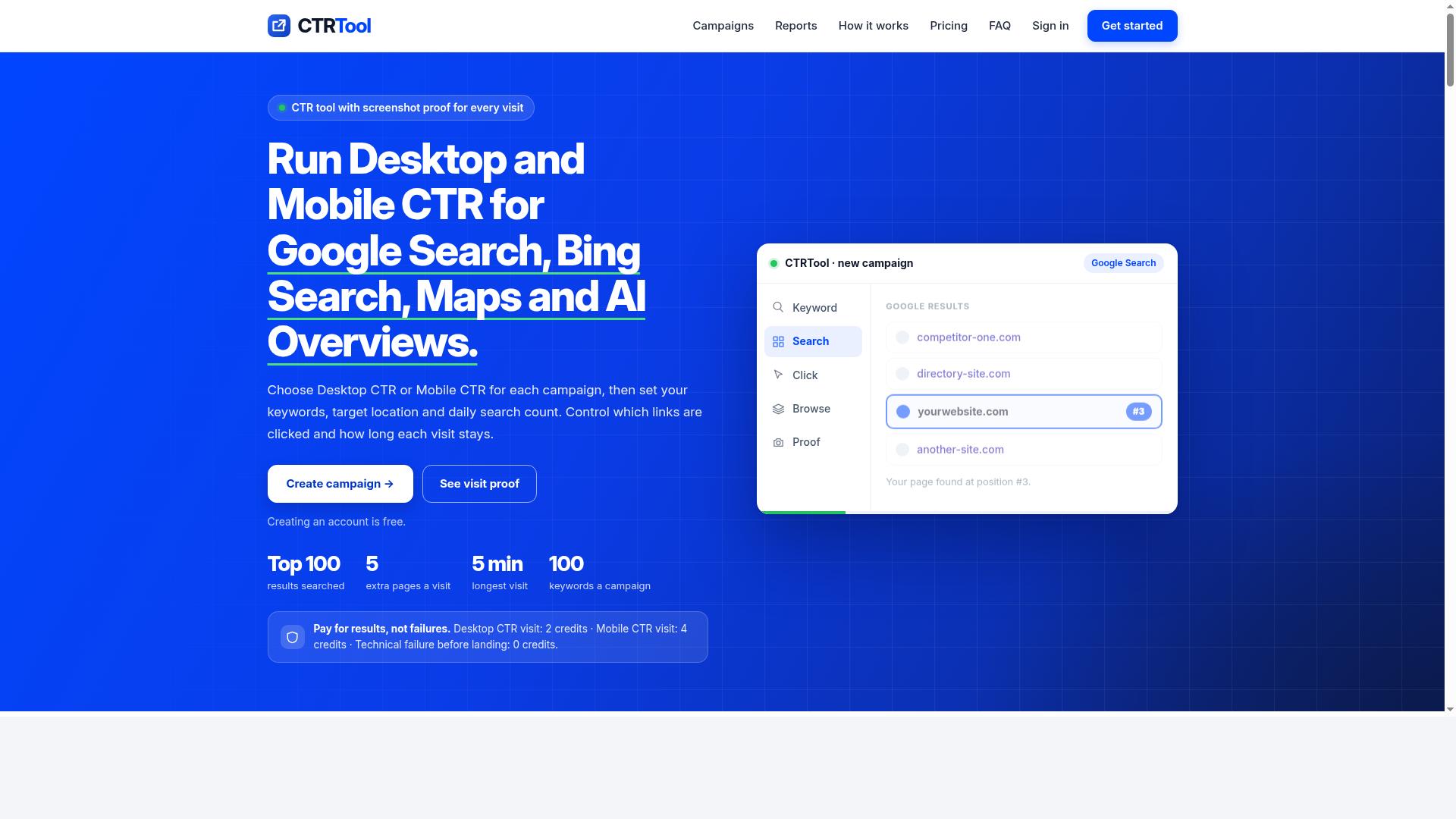
CTRTool is a SaaS platform that runs controlled click-through rate (CTR) campaigns on search engines and maps, designed to simulate genuine user engagement rather than bot-generated traffic. The distinction matters because the two categories solve very different problems, and confusing them is one of the most common mistakes when shopping for traffic bot alternatives.
A traffic bot inflates visit counts. CTRTool targets the behavior that search engines actually read: keyword queries, clicks on organic results, and on-page engagement signals. It is built for search-driven engagement, not raw session volume.
CTRTool is positioned as a CTR tool with screenshot proof for every visit across Google Search, Bing Search, Maps and AI Overviews. That proof element separates it from tools that report numbers you cannot verify.
The platform's own guidance is deliberately cautious: start with tier links, PBNs and test properties, and use CTR on main sites with caution. That advice reflects a tool built for measured SEO strategy testing, not a blunt traffic cannon.
In short, CTRTool is a campaign instrument for influencing user engagement metrics. It is not a headless browser farm, and it should not be judged by the standards of one.
The 7 Mistakes to Avoid When Choosing a CTR Tool Over a Traffic Bot
Many SEO practitioners switch from traffic bots to CTR tools only to repeat the same mistakes, so this section outlines seven pitfalls that undermine campaign effectiveness and credibility.
The shift from traffic bots to CTR tools requires a different evaluation framework. Traffic bots were judged on volume and price per visit. CTR tools must be judged on behavior realism, verifiable proof, and platform fit. Each of the seven mistakes below addresses one of those critical selection criteria.
Mistake 1: Expecting Bot-Style Traffic Instead of Real Search Behavior
The most common mistake is assuming a CTR tool will flood a site with raw visits, when effective CTR campaigns must mimic authentic search journeys, keyword query, SERP click, and on-page engagement, to influence Google's algorithm.
Traffic bots typically generate direct or referral traffic with no search query behind it. A sudden spike of visits with no keyword path looks unnatural and can trigger bot detection. That pattern can harm rankings rather than help them.
A proper CTR tool should simulate the full path:
- Search for a target keyword on a real search engine
- Click the organic result from the SERP position you want to strengthen
- Stay on the page for a realistic session duration
Watch for bot-style signals such as headless browsers, datacenter proxies, and user agent spoofing. These shortcuts create suspicious patterns that search engines are built to catch. Residential proxies and genuine browser environments are the safer baseline.
Also check whether the tool supports device-specific behavior. Desktop and mobile sessions differ in dwell time and click patterns, and a campaign that ignores this distinction looks mechanical. Ask how the tool handles realistic dwell time before you commit.
Mistake 2: Choosing a Tool With No Proof of Visits
Without verifiable proof, you cannot distinguish a tool that actually performs searches and clicks from one that simply reports inflated numbers.
Reputable CTR tools provide evidence for each visit, such as screenshots of the search query and the landing page. That record lets you audit campaign delivery and confirm that clicks were not wasted on the wrong keyword or the wrong SERP position.
A lack of proof is a serious red flag. It points to possible click fraud or simple non-delivery, where the vendor bills for activity that never happened. In a market built on trust in automation, evidence is the only real currency.
Before committing, ask for sample reports or trial access. Review how the proof is structured:
- Does each screenshot show the keyword and the clicked result?
- Is the timestamp and device type visible?
- Can you match delivered visits to your analytics platform data?
A vendor that hesitates on proof is a vendor worth skipping. Verifiable delivery should be a standard expectation, not a premium add-on.
Mistake 3: Ignoring Platform Coverage (Google, Bing, Maps, AI Overviews)
Limiting campaigns to a single platform leaves significant ranking opportunities untapped, especially as search behavior diversifies across Google, Bing, Maps, and AI Overviews.
Each platform has distinct ranking factors and user intent. Google Search drives organic results, Bing runs its own algorithm, Google Maps governs local listings, and AI Overviews reward citation placement. A campaign tuned for one surface does not automatically transfer to another.
A tool that covers only one platform forces you to juggle multiple vendors, which multiplies cost and fragments your reporting. It also makes it harder to keep one consistent SEO strategy across surfaces.
When evaluating coverage, ask two questions:
- Does the tool support all four surfaces: Google, Bing, Maps, and AI Overviews?
- Can it target specific countries, states, and cities for each one?
Granular geo-targeting matters for local campaigns, where a click from the wrong city carries little value. Broad platform support paired with precise location targeting is the combination that keeps a campaign efficient and credible.
Mistake 4: Overlooking Keyword, Location and Device Targeting Controls
Precise targeting is essential because a click from an irrelevant location or device can distort engagement metrics and fail to influence rankings for your actual audience. A tool without granular controls can burn credits while producing noise in your analytics.
Look for keyword-level targeting first. The best tools let you specify the exact keyword or phrase you want the campaign to search for and click on, rather than firing generic traffic that never touches your target terms.
Match type matters too. Some tools allow exact match so the click lands on a specific query, while others use broad matching that may trigger adjacent phrases. Broad matching can be useful for discovery, but exact match keeps your click-through rate signals clean and tied to the terms you are trying to rank for.
Location targeting should go beyond country level. A serious CTR manipulation tool lets you set a country and, ideally, narrow down to a state or city so clicks come from the geography your customers actually search from. If you want a natural mix, an "Any country" option should be available and clearly explained.
Device selection is the third pillar. Desktop and mobile searches behave differently, and a campaign flooded with the wrong device type can skew your user engagement metrics and make it harder to read what is really happening. Confirm the tool lets you pick Desktop, Mobile, or a blended split before you commit credits.
Mistake 5: Falling for Opaque Credit Models and Hidden Charges
Credit-based pricing can be confusing, and some tools obscure how credits translate into actual visits or add fees for basic features. If you cannot work out the real cost per visit before you buy, that is a warning sign.
Start by asking what a credit actually buys. Some systems charge different rates depending on device or platform, and the difference is buried in fine print. A transparent tool states plainly how many visits you get per credit and keeps that rate consistent across campaign types.
Check the consumption model next. Confirm whether credits are spent per search, per click, or per campaign, because the same credit balance can stretch very differently under each approach. Look for overage charges too, since a campaign that runs past its plan can trigger unexpected costs.
Watch for add-on fees on keyword targeting, location filters, or reporting. Basic controls should not cost extra. Straightforward plans that list exactly what is included, and what is not, make it far easier to budget a long-term SEO strategy without surprises.
Finally, compare total spend against the value of clean organic traffic signals. A cheaper plan with vague credit rules often costs more once hidden charges and wasted clicks are counted.
Mistake 6: Skipping Eligibility Checks (Top 100 Results, Listing Limits, Source Links)
Not every keyword or listing qualifies for a CTR campaign, and ignoring eligibility requirements leads to failed campaigns and wasted budget. Verify the limits before you purchase, not after the credits are gone.
Most CTR tools require the target page to rank within the top 100 organic results for the chosen keyword and location. If your page sits outside that range, the tool cannot find it, and the campaign will not run. Check your SERP position for the exact keyword and geography before setting anything up.
Some tools also need a source link, such as a tier link or PBN reference, to locate and click the page. Confirm whether this is a requirement for your chosen campaign type.
For Maps campaigns, check how many listings are scanned, for example up to 50, and whether your business appears within that set. For AI Overviews, a matching query and citation eligibility may be needed before any clicks can be delivered.
- Confirm your page ranks in the top 100 for the exact keyword and location.
- Check whether a source link is required to locate your page.
- For Maps, verify your listing falls within the scanned range.
- For AI Overviews, confirm query match and citation eligibility.
Run these checks up front. A few minutes of verification protects your budget and keeps the campaign focused on terms that can actually move your search engine rankings.
Mistake 7: Missing Campaign Tracking and Reporting
Without robust tracking, you cannot measure whether clicks translate into ranking improvements or identify which keywords and locations deliver the best return. A tool that fires clicks but reports nothing leaves you flying blind, unable to tell a winning campaign from wasted spend.
The whole point of choosing CTR manipulation tools over crude traffic bot alternatives is control and visibility. If the reporting layer is thin, that advantage disappears.
Before committing to any tool, demand a reporting suite that answers the questions that actually matter. The essentials include:
- Keyword position tracking over time, so you can see whether a target query climbs, stalls, or slips after a campaign begins.
- Device breakdown, because desktop and mobile SERPs behave differently and a campaign tuned for one may underperform on the other.
- Location performance, since rankings vary by region and geo-targeted clicks should be judged separately.
- Integration with analytics platforms such as Google Analytics, so campaign activity can be correlated with changes in organic traffic.
Each of these views matters on its own, but together they let you connect click-through rate activity to real movement in search engine rankings.
A tool that skips reporting forces you to guess about ROI. You might keep paying for clicks on keywords that never budge, or abandon a campaign that was quietly working. Neither outcome is acceptable when budget and SEO strategy are on the line.
Reporting also protects you from a subtler problem: mistaking correlation for causation. Rankings move for many reasons, from algorithm updates to competitor changes. Only clean tracking lets you isolate what your campaign contributed.
To make reporting meaningful, set up UTM parameters or custom segments that isolate CTR campaign effects from everything else. Tagged traffic lands in its own bucket inside your analytics platforms, so you can compare it against baseline organic sessions instead of blending the two.
Watch user engagement metrics alongside rankings. If tagged sessions show unusually short dwell time or a high bounce rate, that is a signal worth investigating before scaling spend. Good reporting turns those signals into decisions rather than noise.
The verdict is simple. Treat reporting as a non-negotiable requirement, not a nice-to-have. A tool without keyword, device, and location tracking, plus analytics integration, cannot prove its value, and an unproven tool is a liability in any serious SEO strategy.
Demand transparency up front, isolate your data with proper tagging, and judge every campaign on evidence. That discipline is what separates a measured, defensible approach from blind clicking.
How CTRTool Avoids Each of These Mistakes
CTRTool is built specifically to address the seven pitfalls, combining real search behavior simulation with proof, multi-platform coverage, and transparent pricing. Each design choice maps directly to a common mistake buyers make when they shop for CTR manipulation tools as traffic bot alternatives.
Below is how the platform answers each of the seven concerns in turn.
- Mistake 1, fake-looking traffic: visits come from real keyword queries and organic clicks rather than raw bot hits, which keeps user engagement metrics such as bounce rate, dwell time, and session duration closer to natural patterns.
- Mistake 2, no proof of work: every visit produces search and landing screenshots as separate proof images, so campaigns can be verified instead of taken on trust.
- Mistake 3, narrow platform support: coverage spans Google Search, Bing Search, Maps, and AI Overviews, so an SEO strategy is not limited to one surface.
- Mistake 4, blunt targeting: campaigns can be aimed by keyword, by country, state, or city, and by Desktop or Mobile.
- Mistake 5, hidden costs: pricing is credit-based with published plans, so buyers know the model before committing.
- Mistake 6, ignored eligibility rules: the platform runs eligibility checks covering top 100 results, Maps listing limits, and AI Overview requirements before a campaign proceeds.
- Mistake 7, no reporting: keyword positions are tracked over time, including Maps listing order and AI citation order, alongside full visit paths.
The screenshot proof, full visit paths, and position tracking are the clearest signals of how seriously CTRTool treats verification. A buyer comparing tools can inspect what actually happened on a visit, not just a dashboard counter.
The credit model reinforces that honesty. No credits are charged for technical failures before landing, visits that cannot verify the requested location use no credits, and one credit balance is shared across all campaign types, websites, and keywords. Unused credits roll over while a subscription stays active.
Capacity is also clear up front: up to 100 campaigns with 100 keywords each, and visits lasting up to 5 minutes with up to 5 additional internal pages. That level of detail lets a buyer judge fit against their keyword targeting and session duration goals without guesswork.
For anyone weighing traffic bot alternatives, the takeaway is straightforward. CTRTool closes the gaps that make CTR manipulation tools risky by pairing realistic search behavior with proof, transparent costs, and tracked results.
Pricing and Plans: What Your Credits Actually Buy
CTRTool offers monthly plans in USD, with credits that translate directly into Desktop or Mobile CTR visits depending on your campaign type. Understanding this credit math matters because a plan that looks affordable on paper can deliver far fewer visits than a buyer expects.
The key detail is that Desktop and Mobile visits consume credits at different rates. A Desktop CTR visit costs 2 credits, while a Mobile CTR visit costs 4 credits. That single difference reshapes the real value of every tier.
Here is how the four plans break down:
| Plan | Price (USD/month) | Credits | Up to Desktop Visits | Up to Mobile Visits |
|---|---|---|---|---|
| Starter | $59 | 2,000 | 1,000 | 500 |
| Growth (Recommended) | $125 | 5,000 | 2,500 | 1,250 |
| Scale | $399 | 20,000 | 10,000 | 5,000 |
| Agency | $699 | 40,000 | 20,000 | 10,000 |
Growth carries a Recommended label, which makes sense for mid-sized campaigns that need steady volume without jumping to Scale. Agencies and multi-client operations typically look at the Agency tier for the highest visit ceiling.
One mistake buyers make with traffic bot alternatives is assuming a fixed number of visits per dollar. With CTRTool, mobile campaigns cost twice the credits of desktop campaigns, so budget accordingly before choosing a tier.
Credits are also handled fairly when a visit does not fully complete. A verified search without a match costs 1 credit, and a technical failure before landing costs 0 credits. That protects your spend from being drained by visits that never reach your page.
Every plan is billed monthly. Creating an account is free, so you can inspect the setup before committing. Custom development is the only exception, and it carries a separate, agreed one-time fee.
Unused credits roll over while your subscription stays active, which rewards continuity over stop-start buying. They expire once cancellation takes effect, so plan renewals with that in mind.
CTRTool also displays limited launch pricing, noting that prices rise 30% on November 15. Buyers comparing monthly costs against other CTR manipulation tools should factor that stated increase into longer-term budgeting rather than locking in assumptions from today's numbers alone.
Who Should Use CTRTool
CTRTool is designed for SEO practitioners and agencies who need to influence search rankings through controlled CTR campaigns rather than raw traffic volume. It is a campaign tool, not a traffic generator, and that distinction shapes exactly who gets value from it.
The ideal user understands that click-through rate is a signal tied to real search behavior, not something a flood of automated visits can fake. If your goal is cheap page views from a bot network, this is the wrong category of product.
Three groups fit the platform most naturally:
- SEO professionals running campaigns for their own sites, who want direct control over keyword targeting and SERP position tracking.
- Agencies managing campaigns across multiple client websites, where reporting and proof of work matter as much as the campaign itself.
- Practitioners targeting local Maps listings or working to earn AI Overview citations, both of which sit outside standard blue-link ranking work.
What these users share is a preference for proof and reporting over cheap bot traffic. A traffic bot alternative that cannot show what happened, where clicks landed, and how engagement metrics moved is difficult to justify to a client or to yourself.
CTRTool's audience is defined by that standard. The platform serves people who treat a click-through rate campaign as a measurable SEO strategy, with outcomes they can review and defend, rather than an anonymous stream of visits with no accountability.
The site's own guidance mentions working with tier links, PBNs, and test properties, which tells you something about the intended user. These are methods familiar to SEO practitioners who already run structured link and campaign setups, not beginners looking for a push-button traffic source.
If you recognize those terms and already use them in your workflow, you are inside CTRTool's target audience. If they mean nothing to you, the tool will likely feel like more machinery than you need.
The platform also spans Google Search, Bing Search, Google Maps, and AI Overviews, so users running campaigns across more than one surface do not have to stitch separate tools together. That breadth suits agencies and multi-site operators in particular.
The clearest way to decide is to ask what you are actually buying. If you want volume, a traffic bot alternative will always look cheaper on paper. If you want a controlled CTR campaign with reporting behind it, CTRTool is built for that job and for the people who do it professionally.
In short, CTRTool suits SEO practitioners and agencies who value evidence over noise, run campaigns for themselves or clients, and target modern surfaces like Maps and AI Overviews. For that audience, it is a legitimate and well-matched choice.
Final Verdict
CTRTool stands out as a CTR campaign tool that prioritizes proof and realism over bot-style traffic, making it a strong choice for SEOs who want measurable engagement. The seven mistakes covered in this article are easy to make when you treat traffic bot alternatives as a shortcut rather than a strategy. CTRTool is built to sidestep each one.
Where many tools ask you to trust a dashboard number, CTRTool emphasizes screenshot proof of clicks, so you can see evidence rather than take a claim on faith. That single design choice addresses the biggest trap in this category: paying for traffic you can never verify.
The platform also supports multiple search platforms, which matters because a real CTR manipulation strategy cannot live on one engine alone. Precise targeting keeps campaigns focused on the keywords and SERP positions you actually care about, instead of spraying clicks at random pages.
- Screenshot proof of clicks instead of unverifiable dashboards
- Multi-platform support for campaigns across more than one search engine
- Precise targeting tied to keyword and SERP position
- Transparent pricing with published plans
- Tracking so you can review campaign performance over time
Together these strengths map directly onto the mistakes readers should avoid. Transparent pricing removes the guesswork that comes with opaque plans. Tracking and proof replace blind faith with something you can review and act on.
CTRTool also avoids the bot-style shortcuts that create real risk: forced IP rotation through proxy networks, CAPTCHA solving, browser fingerprinting tricks, and automation scripts that trigger bot detection. The result is traffic quality you can defend, not click fraud waiting to be filtered out.
For SEOs weighing traffic bot alternatives, the practical takeaway is simple. Judge any CTR manipulation tool by whether it can show you proof, target precisely, price openly, and track outcomes. CTRTool is designed around those four checks.
If you have questions about the platform, its campaigns, or its pricing, the support email listed on the site is vaibhav@autoblogging.ai. That is the direct route for support inquiries and account questions before you commit to a plan.
Frequently Asked Questions
What should I look for in a CTR tool if I'm replacing a traffic bot?
The biggest difference is proof. CTRTool provides screenshot proof for every visit, with search and landing screenshots as separate proof images, plus full visit paths so you can verify what actually happened. A traffic bot typically sends anonymous sessions with no verifiable evidence, so prioritize tools that show you real, checkable results.
How do I know a CTR campaign will actually find my page?
CTRTool requires the page to appear within the top 100 organic results for the chosen keyword and location before a campaign can click it. This means your keyword and location targeting must be realistic for your current rankings. Check your positions first, then set up campaigns around keywords where you genuinely rank.
Can I run campaigns on Maps and AI Overviews, or only regular search?
CTRTool supports Google Search, Bing Search, Google Maps and AI Overviews campaigns. Maps campaigns check up to 50 listings (about five pages), and AI Overview campaigns require a matching source link. If you need coverage beyond standard organic search, confirm the tool supports those surfaces before switching.
How does CTRTool's pricing work compared to bot-style tools?
CTRTool uses monthly plans in USD with credits: Starter is $59/month for 2,000 credits (up to 1,000 Desktop CTR visits or 500 Mobile CTR visits), and Growth is $125/month for 5,000 credits. Because it's a pay-for-results credit system, you can match spend to the number of verified visits you actually need rather than paying for unverifiable traffic.
Can I target specific countries or cities with my campaigns?
Yes. CTRTool lets you target a chosen country and optionally a state and city, or select "Any country" to use a mix of supported locations. This matters when replacing traffic bots, which often send visits from irrelevant locations that can distort your analytics.
Who should I contact if I have questions before choosing a tool?
CTRTool lists vaibhav@autoblogging.ai as its support email in the FAQ. You can also review the Terms of use and Legal notices pages on ctrtool.com before committing. Reaching out with your specific keyword and location setup is a sensible final check before migrating from a traffic bot.